> ## Documentation Index
> Fetch the complete documentation index at: https://docs.insecureweb.com/llms.txt
> Use this file to discover all available pages before exploring further.
# Connection Key
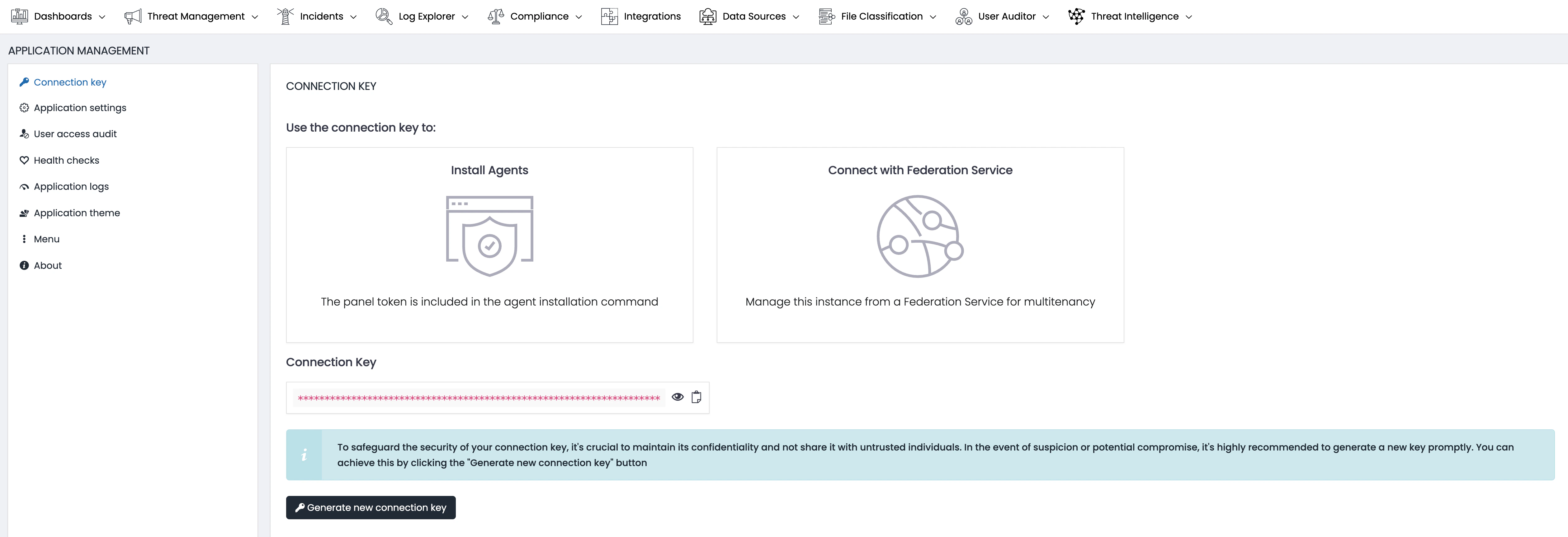
> The Connection Key is a fundamental component of UTMStack, serving as a secure token to establish trusted communication between components within the system. It plays a crucial role in the following processes:
 ### Install Agents
* **Purpose**: The Connection Key is utilized as a panel token that is integrated within the agent installation command line. This token ensures that the agent is authenticated and allowed to communicate with the central panel, thereby maintaining a secure environment.
* **Process**: When installing agents on target machines or devices, the Connection Key is included in the command line instructions to successfully authenticate and link the agents to the central panel.
### Connect with Federation Service
* **Purpose**: This key also enables the management of the UTMStack instance through a Federation Service, specifically for the purpose of multitenancy. This is essential for environments where multiple separate entities or administrative domains require access to the system.
* **Process**: The Connection Key facilitates secure connection to a Federation Service, ensuring that all federated instances are properly managed and maintained within a centralized framework.
**Security Tip**: To maintain the security integrity of your Connection Key, it’s vital to change it regularly and immediately if there is any suspicion of compromise. Avoid sharing the key with untrusted parties.
### Generating a New Connection Key
* If you need to generate a new Connection Key, you can do so easily by clicking the `Generate new connection key` button. This action will create a new, unique key to replace the old one and will require updating the key across all deployed agents and services that use it.
Always ensure that the new key is distributed securely and updated in all configurations to prevent service disruption.
Keep a secure backup of your Connection Key in a safe location.
### Install Agents
* **Purpose**: The Connection Key is utilized as a panel token that is integrated within the agent installation command line. This token ensures that the agent is authenticated and allowed to communicate with the central panel, thereby maintaining a secure environment.
* **Process**: When installing agents on target machines or devices, the Connection Key is included in the command line instructions to successfully authenticate and link the agents to the central panel.
### Connect with Federation Service
* **Purpose**: This key also enables the management of the UTMStack instance through a Federation Service, specifically for the purpose of multitenancy. This is essential for environments where multiple separate entities or administrative domains require access to the system.
* **Process**: The Connection Key facilitates secure connection to a Federation Service, ensuring that all federated instances are properly managed and maintained within a centralized framework.
**Security Tip**: To maintain the security integrity of your Connection Key, it’s vital to change it regularly and immediately if there is any suspicion of compromise. Avoid sharing the key with untrusted parties.
### Generating a New Connection Key
* If you need to generate a new Connection Key, you can do so easily by clicking the `Generate new connection key` button. This action will create a new, unique key to replace the old one and will require updating the key across all deployed agents and services that use it.
Always ensure that the new key is distributed securely and updated in all configurations to prevent service disruption.
Keep a secure backup of your Connection Key in a safe location.