> ## Documentation Index
> Fetch the complete documentation index at: https://docs.insecureweb.com/llms.txt
> Use this file to discover all available pages before exploring further.
# Integration guide for SysLog
> Syslog is a standard for sending and receiving notification messages, in a particular format, from various network devices. UTMStack accepts syslog from firewalls and other devices that support it
## Installing SysLog
This integration requires a UTMStack agent to work properly. Please, make sure you have installed it before you continue.
> This integration relies on Syslog. Logs received via Syslog are parsed and correlated by UTMStack automatically.
### 1. Configure your device to send logs to a UTMStack agent on ports:
* 7014 TCP
* 7014 UDP
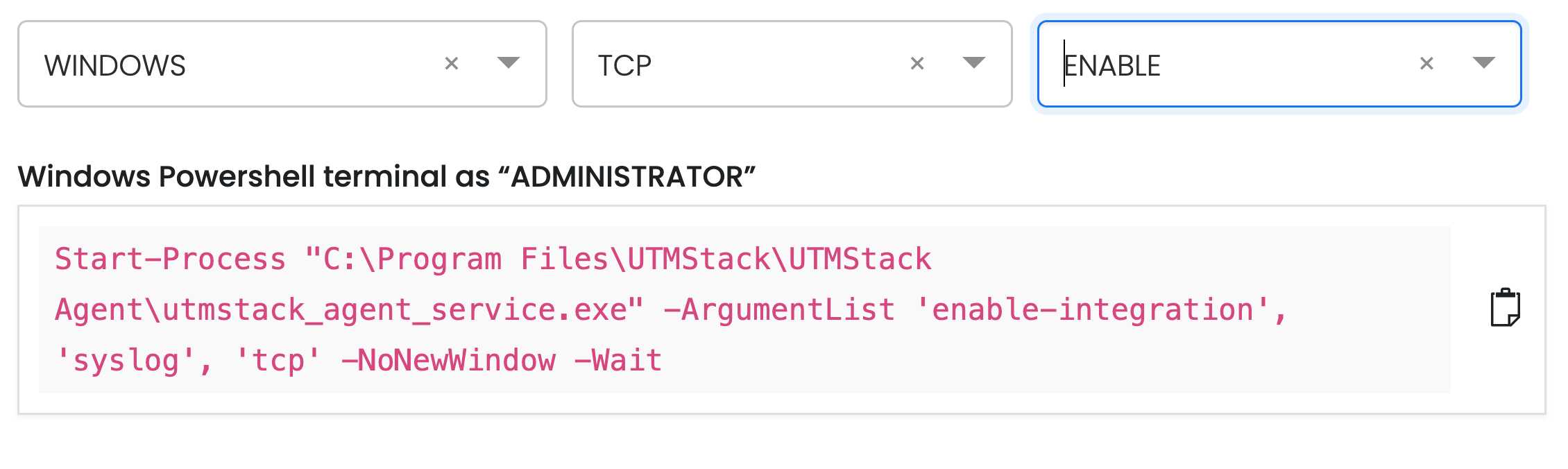
### 2. Enable log collector.
To enable the log collector where you have the UTMStack agent installed, follow the instructions below based on your operating system and preferred protocol.
 Execute command according to the selected platform
Agent installation commands for operating systems **must be copied directly from your UTMStack instance**, under the **Integrations** section.\
This ensures that all tokens, identifiers, and configuration parameters are accurate and specific to your environment.
#### Example:
Execute command according to the selected platform
Agent installation commands for operating systems **must be copied directly from your UTMStack instance**, under the **Integrations** section.\
This ensures that all tokens, identifiers, and configuration parameters are accurate and specific to your environment.
#### Example: