Documentation Index

Fetch the complete documentation index at: https://docs.insecureweb.com/llms.txt

Use this file to discover all available pages before exploring further.

This integration requires a UTMStack agent to work properly. Please, make sure you have installed it before you continue.

1. Click on the “Settings” menu in the SentinelOne sidebar.
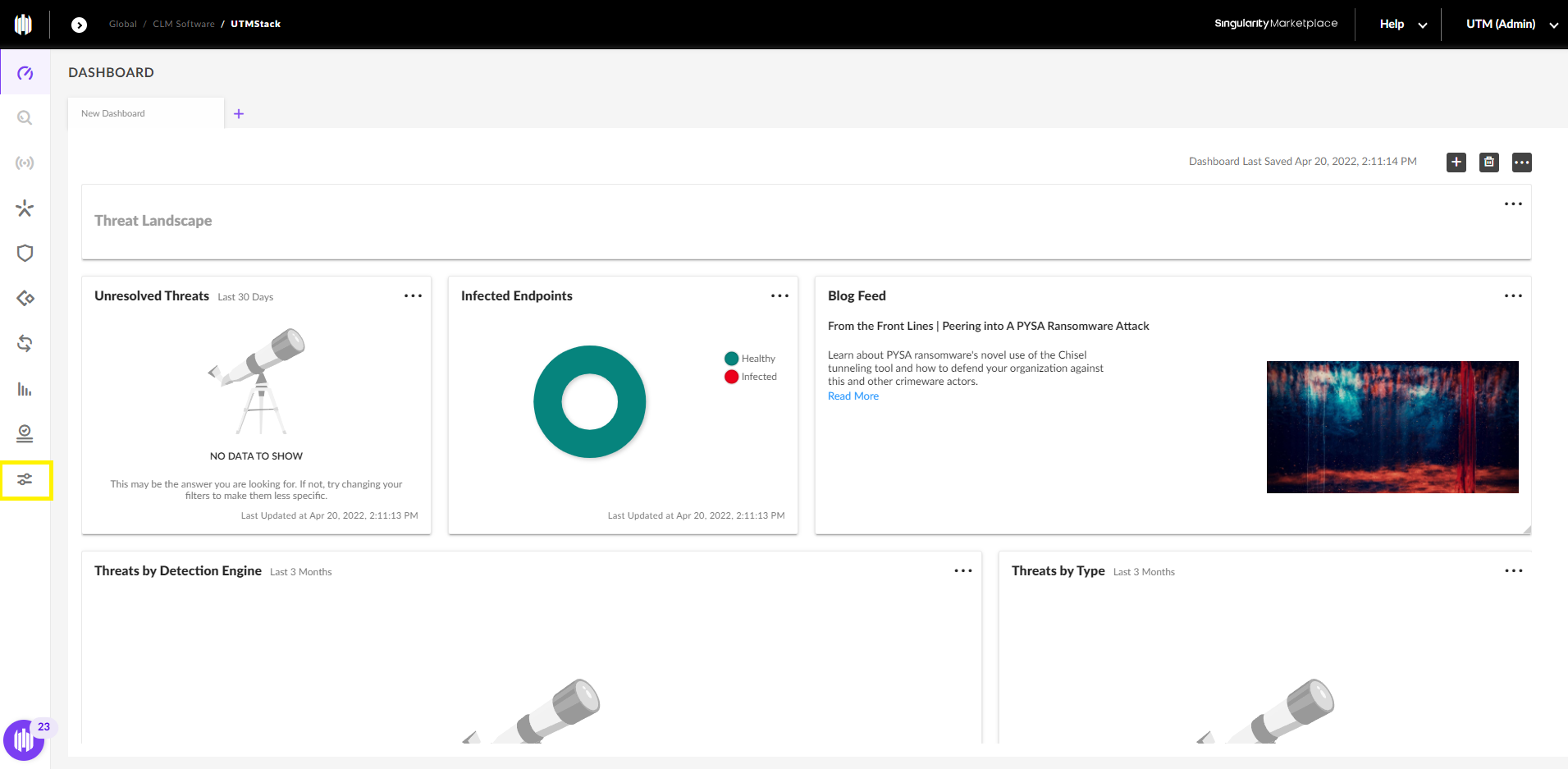
SentinelOne

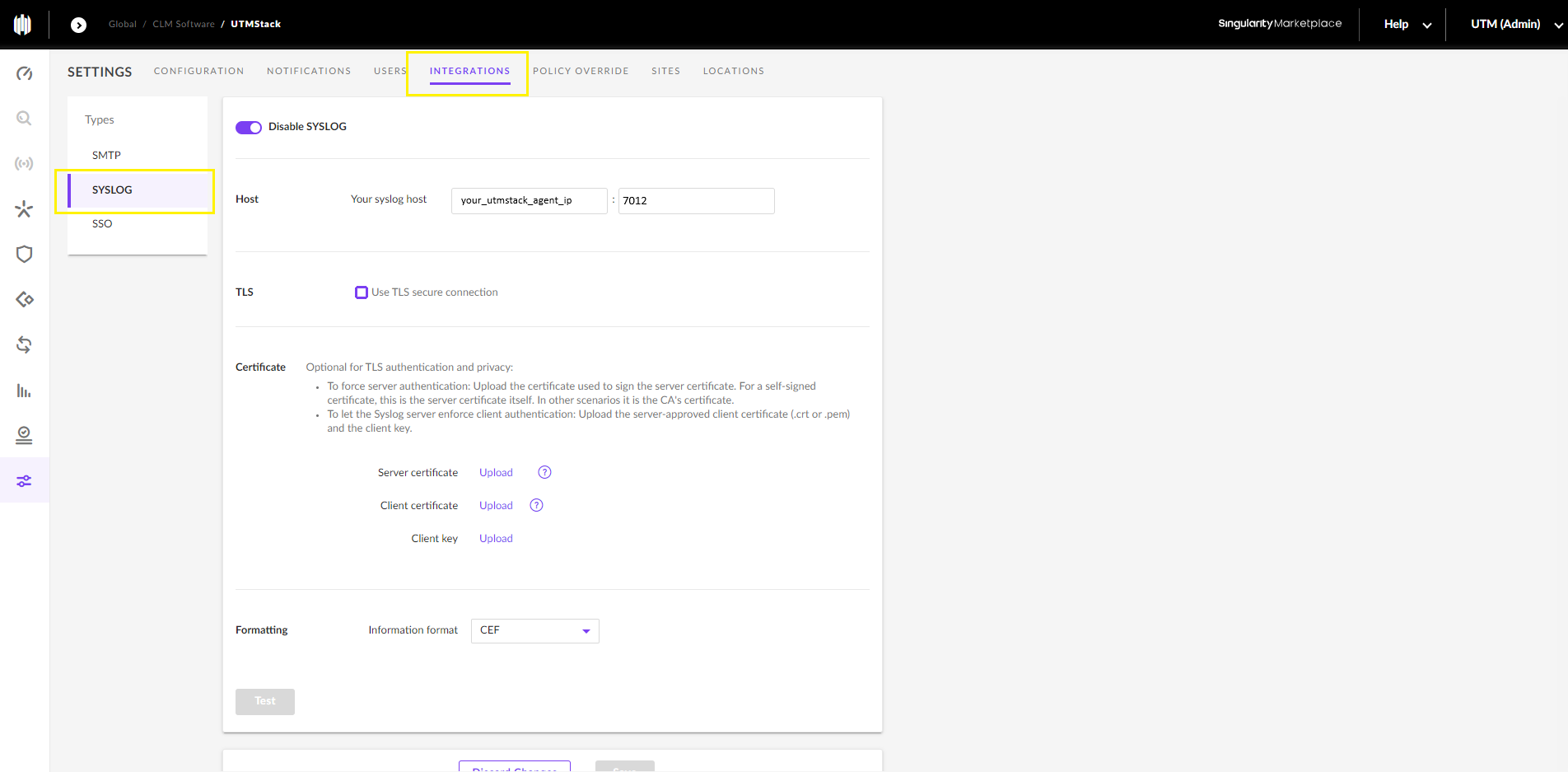
2. Go to “Integrations” -> “Syslog”, and configure SentinelOne Endpoint Security to send logs to a UTMStack agent to ports:

  • 7012 TCP
  • 7012 UDP
SentinelOne

3. Enable log collector

To enable the log collector where you have the UTMStack agent installed, follow the instructions below based on your operating system and preferred protocol.

SentinelOne

4. Click on the “Test” button to check connection with UTMStack, and save changes